Build the squad
Start with the part of the build you need to fix. Each route explains the rule, the condition that changes it, and the cost of choosing another direction. Complete current records sit beside the decisions they support.
Add the missing job or keep the current team
Use the current squad size, eligible candidates, rescue cost, and Liberate reward before changing the active team.
Respond to the recovery failure you actually saw
Between-hit loss, failed sustain, an unprotected fatal hit, and spent protection require different immediate responses.

Concentrate tags for the result the build needs
Separate direct damage, status chance, duration, threshold effects, and Item-only changes before treating a tag count as a build score.

Build for the damage that ends the run
Keep retained damage, effective health, regular Dodge, Projectile Dodge, Weapon Critical Chance, and Ability Critical Chance in their own calculations.
Invest for the effect the build needs
Critical Chance, Dodge, pickup timing, XP drop quality, and passive quality stop or scale at different values.
Spend permanent points on the exact run effect
Separate the Badge unlock, equipped slot, statistic bonus, and damage-tag count before comparing permanent options.

Choose a card by effective gain
Separate Team and Survivor allocation, then preview how the printed value changes the current effective statistic.
Fund the branch before testing the build
Confirm the cost, rank gate, and prerequisite for a weapon, ability, evolution, synergy, or specialization route.
Inspect the complete path before replacing a leveled Weapon
A later Weapon uses its own base record, level rows, permanent boost, cadence, range, and damage types.
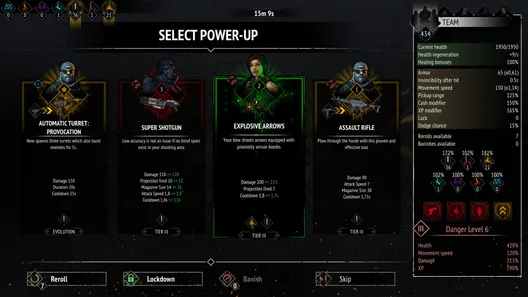 Decide when to replace a WeaponCheck offer gates, what carries, final-choice cost, exact level rows, and supported timing before taking the next tier.Understand level-up offers and actionsCheck the eligible pool, cumulative Reroll history, separate locks, Banish scope, and exact Skip formulas.
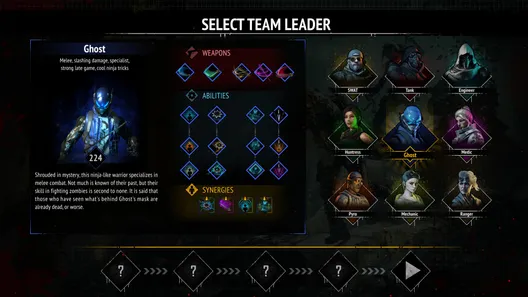 Open every Weapon path and timing fieldSearch 45 Weapons by Survivor, tier, or damage type, then open one record for its supported timing fields.
Check the rule behind each choice
A synergy effect can have its own rank, node, ability, or combat gate. An evolution branch can add a separate threshold or cap.
 Understand directed synergy effectsOpen one owner effect and check its Rank, purchased node, named Ability, and combat condition.
 Inspect every Ability and final branchSearch all 36 base Abilities, then open one record for exact level rows and both mutually exclusive final branches.Choose one Ability evolutionCheck the exact skill-tree unlock and Level 4 gate, then choose the internal branch whose effect fixes the current problem.
Separate access from what helps the build
An Item must enter the chest pool before its effect can support a build. Ground pickups follow a different set of spawn and collection rules.
Understand Item Chest eligibilityFind the first failed unlock, mode, pool, preset, or carry gate before planning around an Item. Look up Item effects and restrictionsSearch all 134 Items by effect, unlock, classification, and allowed mode.Understand ground pickup rulesRead the spawn gates, attempt timing, failed retries, map caps, collection behavior, and timed effects.